HORIZONTAL DIRECTIONAL DRILLING

SteerBook

One tool from HDD bid to final bore report.

Drop in the job files, let SteerBook do the heavy lifting, survey from the phone, track every joint, watch utilities and formations, and hand over a clean report without rebuilding the bore after dark.

Invited beta for HDD crews, steerhands, locators, estimators, and project teams.

SteerBook bore planner profile and project view
Survey Capture
EntryExitRef 3
Azimuth 91.42Length 1,337 ft
Projects
C112 River Crossing Synced
Main St Conduit Local
Airport Fiber Ready
Desk + field + reports Bid it, plan it, drill it, report it. Same job record the whole way.
BiddingPhone SurveyBore PlanningDrill Logs811 PlanningReports

THE HDD JOB BOOK

Built for the people who have to keep the bore honest.

SteerBook is for the estimator building the number, the locator grabbing control, the steerhand watching the shot, and the PM who needs the report to make sense later.

01

Bid the job

Keep product, tooling, lengths, risks, production assumptions, and project notes together before the crew rolls.

02

Survey with your phone

Walk the site, grab entry and exit, save reference points, and send field control back to the project.

03

Plan the crossing

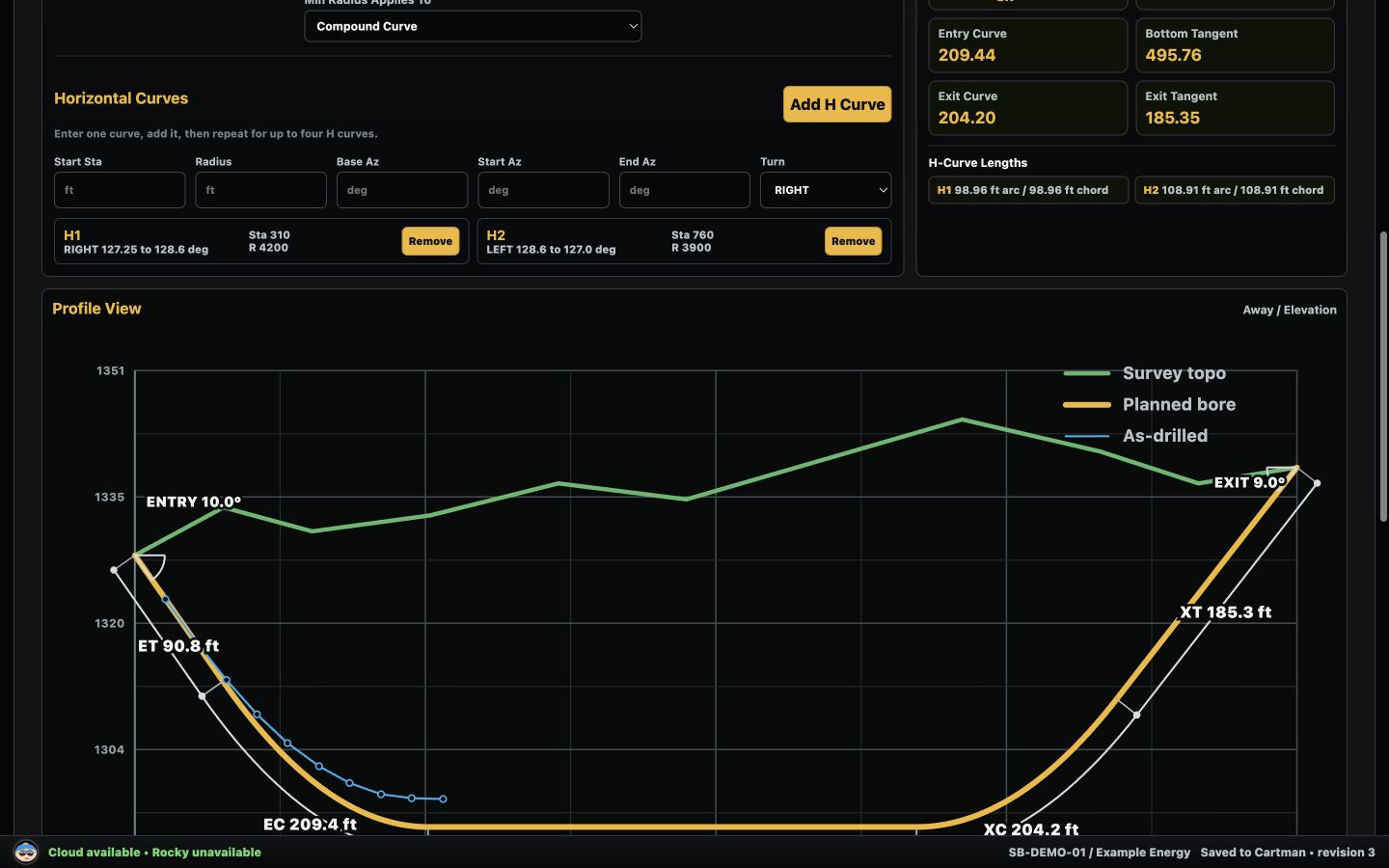
Bring in plan files and survey data, then move fast from rough crossing to profile, radii, curves, and joint-by-joint plan.

04

Track every joint

Shots, MD, inclination, right/left, away, toolface, pressure, notes, delays, and progress stay in the drill log.

05

See what is around the bore

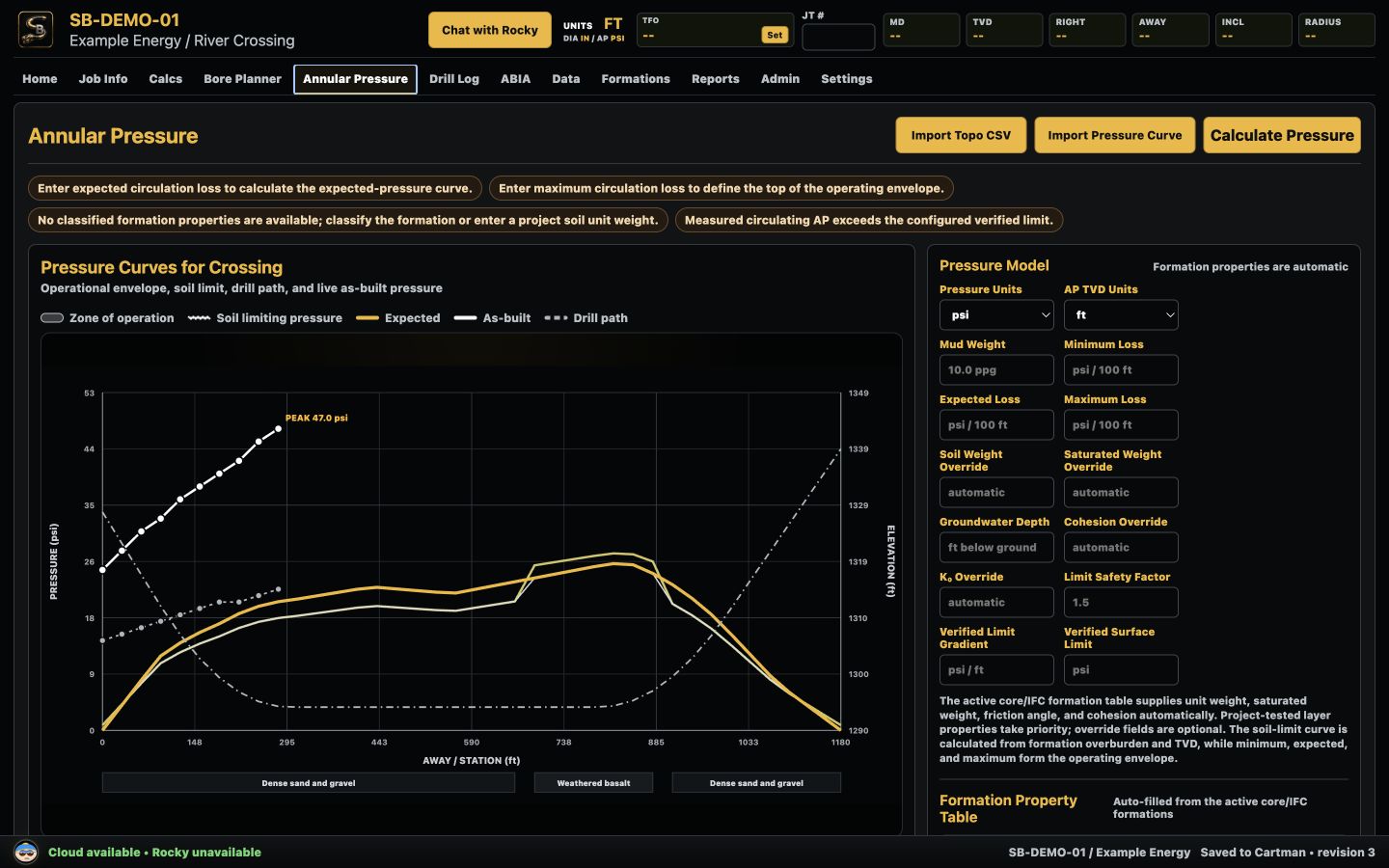
Pressure, formations, public utility hints, and 811 reminders sit next to the same drill path.

06

Report without retyping

PDFs, daily reports, final packages, joint CSVs, pressure charts, and bore plots come from the job you already worked.

Map + Survey
EntryExitSurvey 12
Current PointLat 46.649913Lon -88.479604
Formations + Utilities
811 reminderGas hint 42 ft leftSand seam 22-39 ft

STEERBOOK MOBILE

Put the bore book in the steerhand's pocket.

Pick the job, capture the points, check the map, save the survey, run the calcs, and sync it all back when the connection comes back.

  • Capture entry, exit, and reference points right on the map
  • Switch between authorized projects without calling the office
  • Run mud, BHA, bore, pressure, and steering calcs in the field
  • Recover local data and sync when the site has service again
  • Ask Rocky when you want a second set of HDD eyes

BORE PLANNING

Go from plan files to a bore that is ready to steer.

Upload the project files and SteerBook helps pull the useful pieces into the job: crossing geometry, surfaces, references, product info, and the starting point for a real bore plan.
SteerBook planned bore and profile view
Profile, terrain, planned path, joint geometry, and as-drilled context.
SteerBook annular pressure chart
Pressure, formations, and the drill path lined up by station.
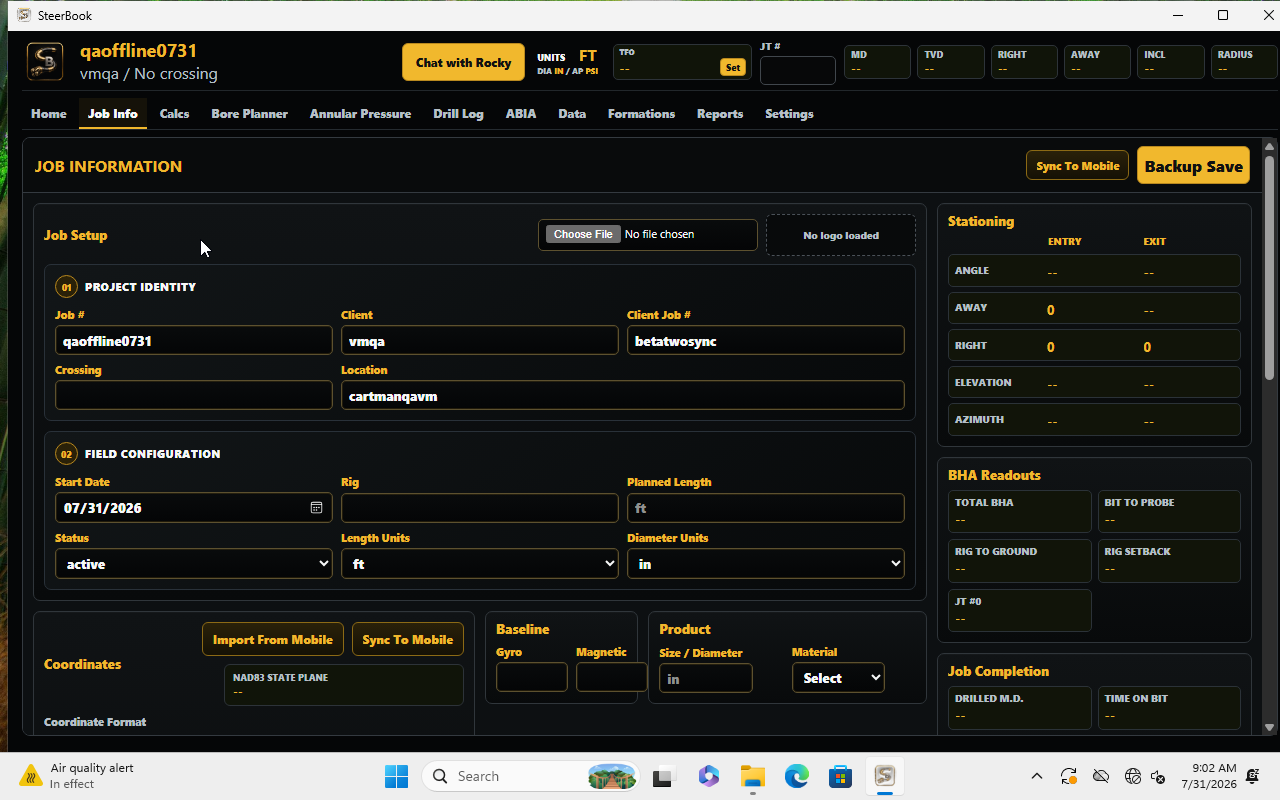
SteerBook Windows project workspace
Job setup, product, tooling, survey, and plan data in one Windows workspace.

811, UTILITIES, FORMATIONS, AND ROCKY

Planning aids stay attached to the crossing.

Utility hints, 811 warnings, formations, and pressure context sit next to the bore path, with clear warnings that public data is planning support, not a substitute for locates, potholing, or engineering review.

811Ticket-first reminders
Utility hintsMap context for planning
FormationsIntervals tied to station
RockyAnswers with job context
Rocky example

Question: “Can I raise mud weight on this sand section?”

Answer: “Maybe, but watch AP first. Your planned low cover starts around 6+40, so check returns and pressure trend before thickening the system.”

DRILL LOGS AND REPORTS

The drill log becomes the report. No retyping the bore.

Every shot, pressure check, note, delay, and correction stays tied to the crossing. When it is time to send the client something clean, the report is built from the job you already worked.
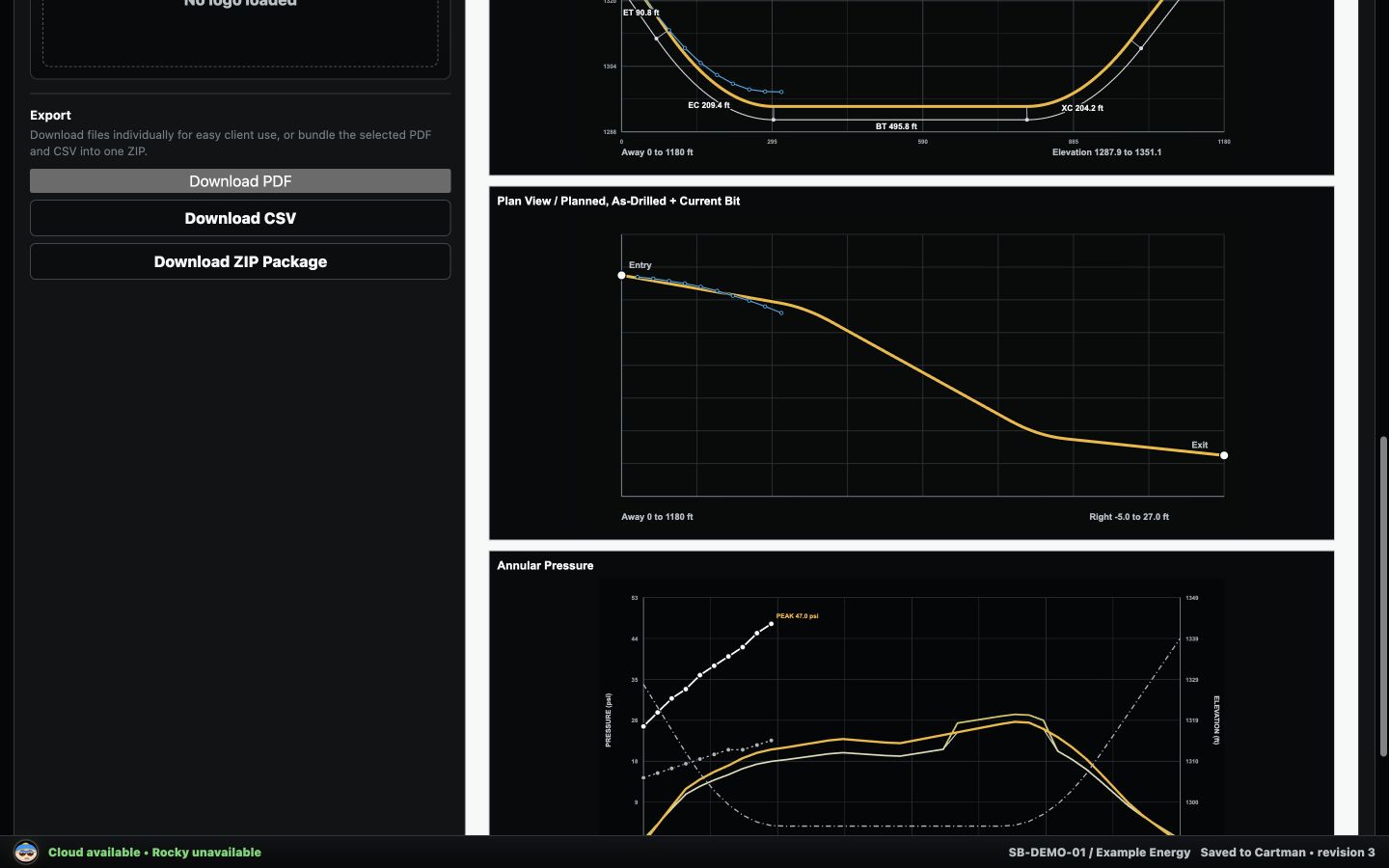
SteerBook live report preview with plan and pressure charts

Make the paperwork look like you had a whole office behind you.

Daily report, final report, pressure charts, plan views, drill log CSVs, and ZIP packages come out of the same project record.

Daily reportsFinal reportDrill log CSVPressure chartsBore plan exportsZIP packages

WHO IT IS FOR

From over-the-top locating to the bid desk.

SteerhandsShot tracking, toolface context, bore math, field notes, and a plan that stays close.
LocatorsPhone survey capture, station context, map review, utility hints, and as-drilled checks.
DrillersPressure awareness, production notes, tooling, mud calcs, delays, and daily records.
EstimatorsCrossing setup, product, geometry, risks, and reusable detail for the next bid.

STEERBOOK BETA

One connected HDD workspace for planning, field work, and reporting.

Access Invited Downloads